BytesGlue
PosMasr logoPosMasr

POS software for Egypt

Your counter, your stock, your whole shop. Together.

Run a busy shop without losing track of the details. PosMasr connects selling, products, customer balances and reporting in Arabic and English, with restaurant tools for the kitchen and room to grow into wider business operations. Choose an Online workspace or the separate Desktop edition around the way you actually work.

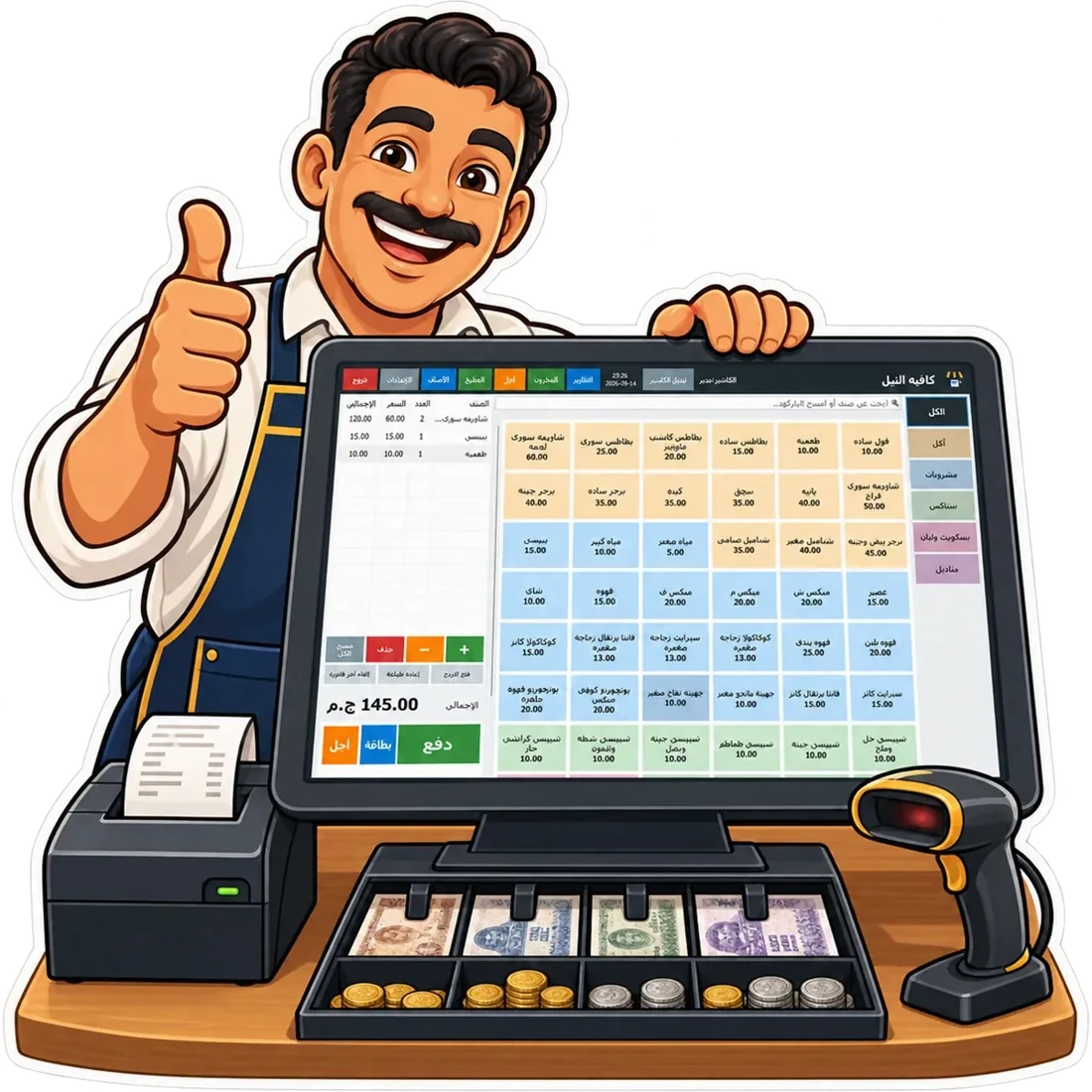
PosMasr counter illustration from its official website
From the PosMasr product website
  • Retail shops & groceries
  • ریستوراں اور کیفے
  • Pharmacies & specialist retail
  • Multi-branch businesses

The work it helps you do

Built around the way you operate.

Explore the workflows behind PosMasr, from everyday details to the bigger picture.

01

Keep the queue moving

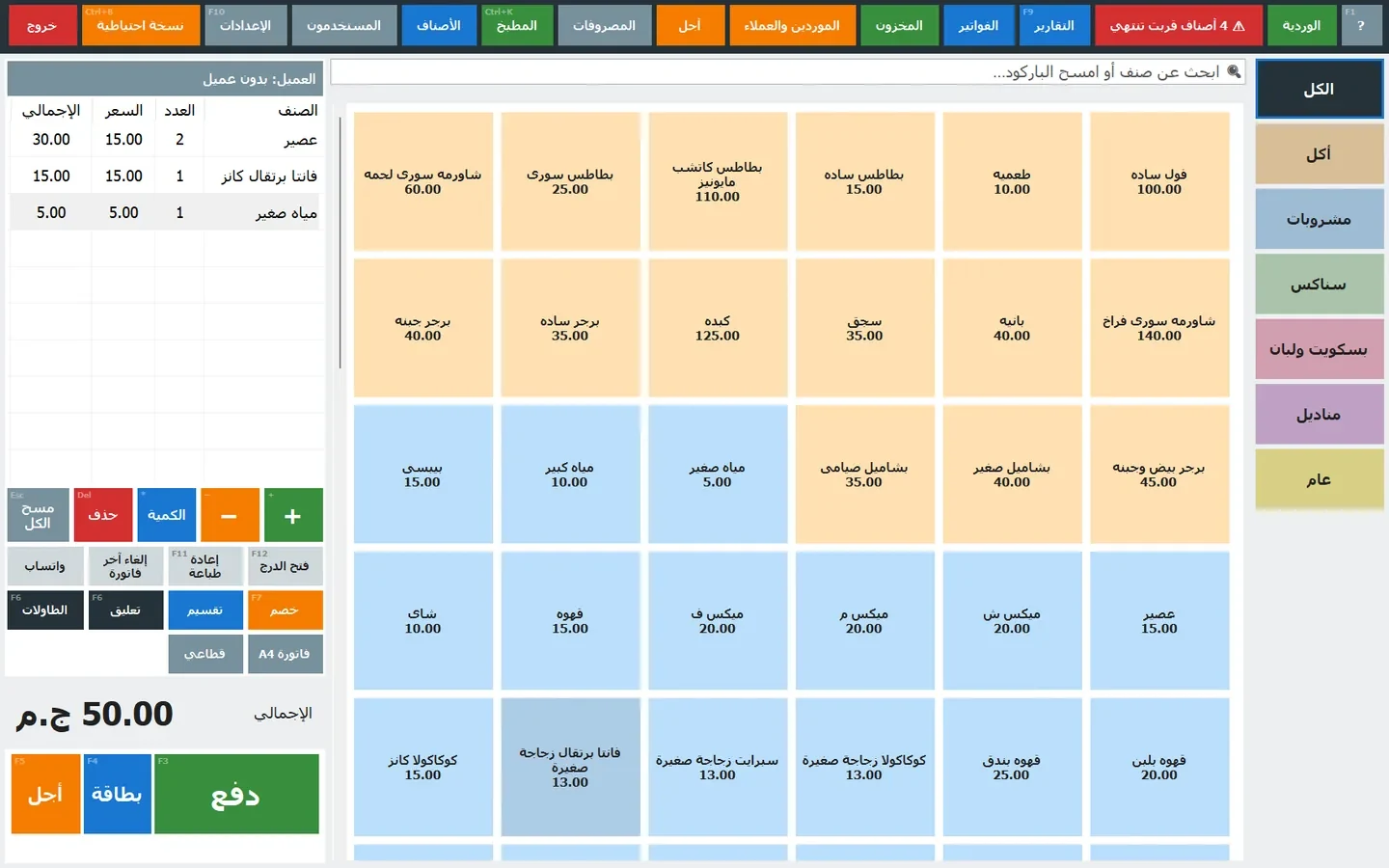
Find products by name or barcode, scan with a reader or camera, and work with sizes, colours and add-ons. Discounts, payments and customer accounts belong in the selling flow, rather than in a notebook beside the till. A connected Till can keep selling during an internet interruption and synchronise when the connection returns, so the owner can follow the business away from the counter.

02

Stock that follows every sale

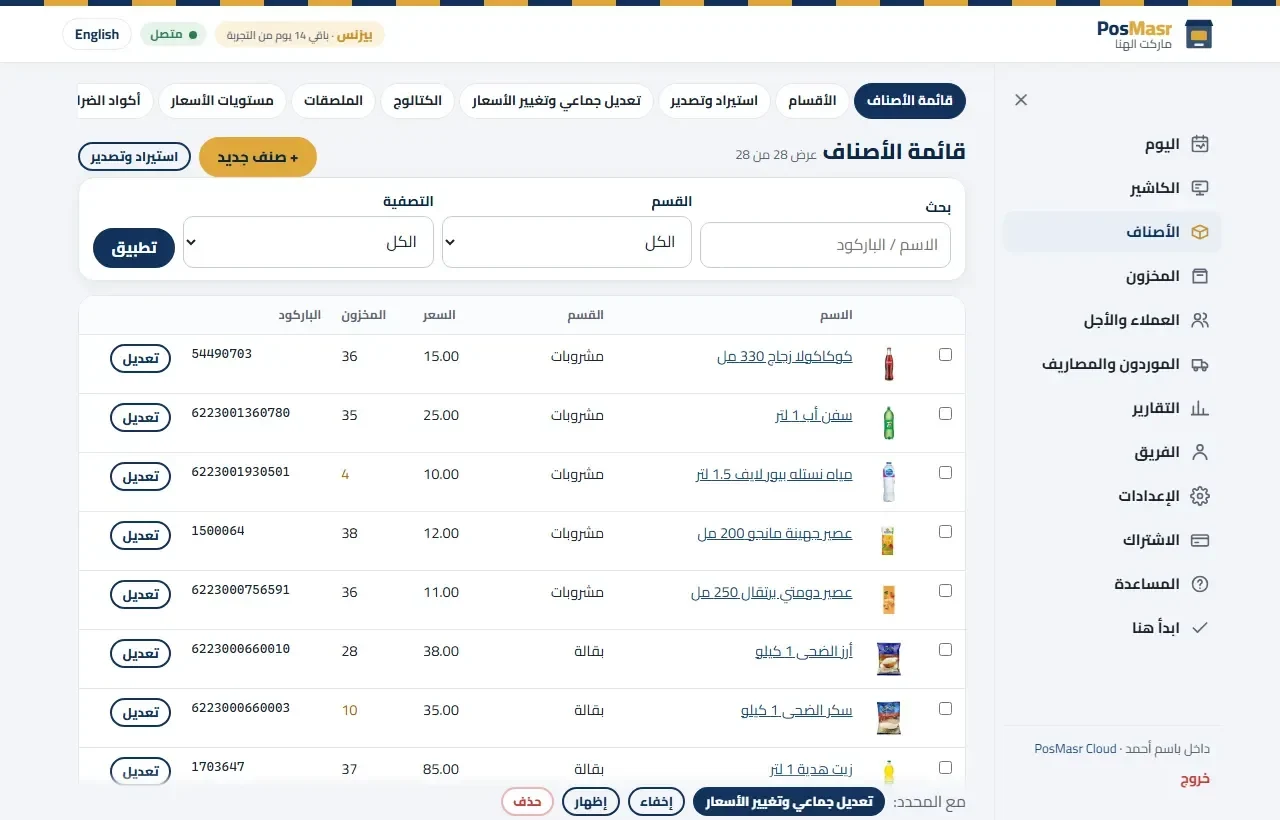
Track products, purchases, suppliers and movements instead of guessing what is left on the shelf. Recipe and bill-of-materials workflows deduct the ingredients used in a sale; pack and unit handling helps when goods are bought by the carton and sold separately. Stock and expiry views help staff decide what to reorder or sell first. Specialist options include serial numbers, IMEI and size-and-colour variants.

03

A connected restaurant floor and kitchen

Use tables, waiter ordering and kitchen tickets to carry an order from the dining room to preparation. Options stay with the ticket so the kitchen sees what the customer asked for. Table QR ordering, split bills and kitchen status views support different service styles. Preparation stages and staff timing reports help managers see where orders are waiting and compare service against the targets they set.

04

Know where the money went

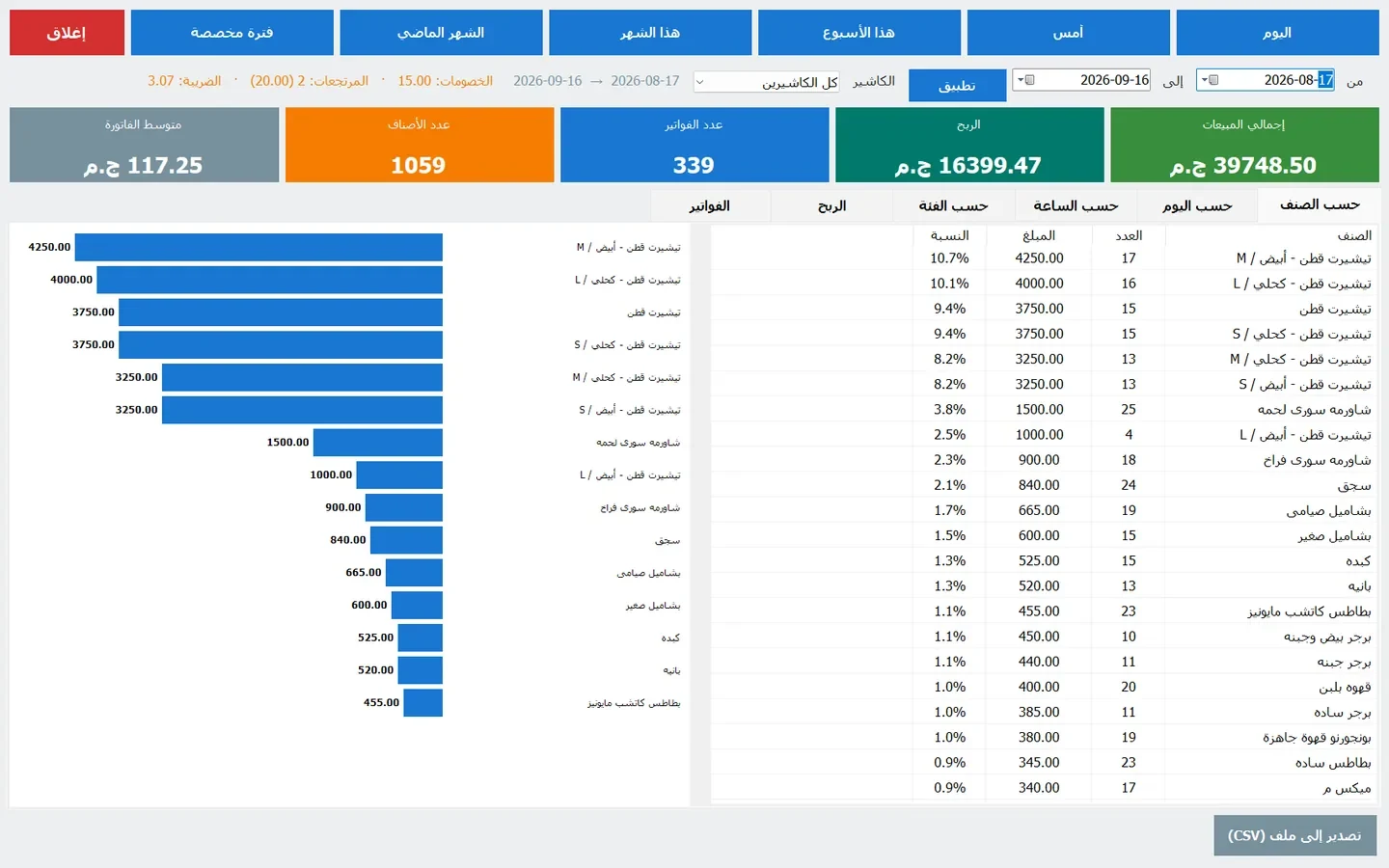
Follow sales, margins, customer credit and cash movements from the same business records. Blind shift close and cash variance checks make reconciliation more useful than a handwritten total. Reports can be filtered by date and time, with exports for further analysis. Where the selected plan includes Books, quotations, invoices, supplier bills and accounting extend the workflow beyond the receipt.

05

Give regulars a reason to return

Keep customer details, outstanding balances and purchase history where staff can use them. Digital stamp cards and loyalty workflows continue the relationship after checkout; a card can open on a phone without a special shop app. Job orders, deposits and layaway support sales that do not finish in one visit, while paperless receipts offer an alternative to printing every transaction.

06

Start small and add what you need

An Online workspace can expand into bookings, employee attendance, purchasing, projects and other modules according to the plan. Roles give each employee appropriate access. Owner reports and optional AI connections help explain the numbers, while imports and exports keep your data usable. Online and Desktop are distinct editions: choose the features, devices and purchase route that match your shop.

See the product

A closer look at PosMasr.

Product screens and visuals from the official website. Screens may show fictional demonstration data; features vary by edition and plan.

Go beyond the basics

Beyond the receipt: recipe stock, prep batches and waste in PosMasr

A café sells a latte, but its stockroom loses milk and coffee. Here is how to connect those two views and understand where ingredients go.

Read the practical guide →

Your next steps

Start with the workflow that matters.

  1. Explore a working shop

    Open the demo to follow products, sales and reports before configuring your own business. Start a 14-day Online trial when you are ready. Review the separate Desktop route if that edition better suits your shop.

  2. Bring your products across

    Prepare your catalogue, barcodes, prices, opening stock and customer balances. Import supported files, review the results and run a sample sale and return before staff use the system at the counter.

  3. Follow your first real shift

    Pair the Till, check the printer and scanner, and choose the restaurant or retail tools you need. Review the shift from the owner workspace and use reports to spot stock, credit or cash issues early.

شروع کرنے سے پہلے

A few useful answers.

Need help choosing the right setup?

Talk to the team →
Can staff work in Arabic?

Yes. PosMasr is designed for Egyptian businesses and supports Arabic and English. Staff can use a familiar interface while the owner follows the business through reports and customer records.

Are Online and Desktop the same purchase?

No. They are separate editions with different plans and checkout routes. Compare the edition you want, including deployment and feature coverage, before buying.

How does recipe stock work?

A recipe links a sellable item to its ingredient quantities and units. Recording the sale deducts the configured materials. Accurate recipes, purchases and stock counts underpin useful food-cost and variance reports.

Can I move my existing data?

Use supported imports for products, customers and opening balances. Review a sample first, especially barcode formats, units, tax treatment and variants. The help centre explains setup and migration routes.

Take the next step

See what PosMasr can do for you.

Explore the product, review its current plans and find the workflow that fits your team.

Compare PosMasr and Odoo POS →
Customer support ہم سے بات کریں